
YG - Gear tools
Command: YG
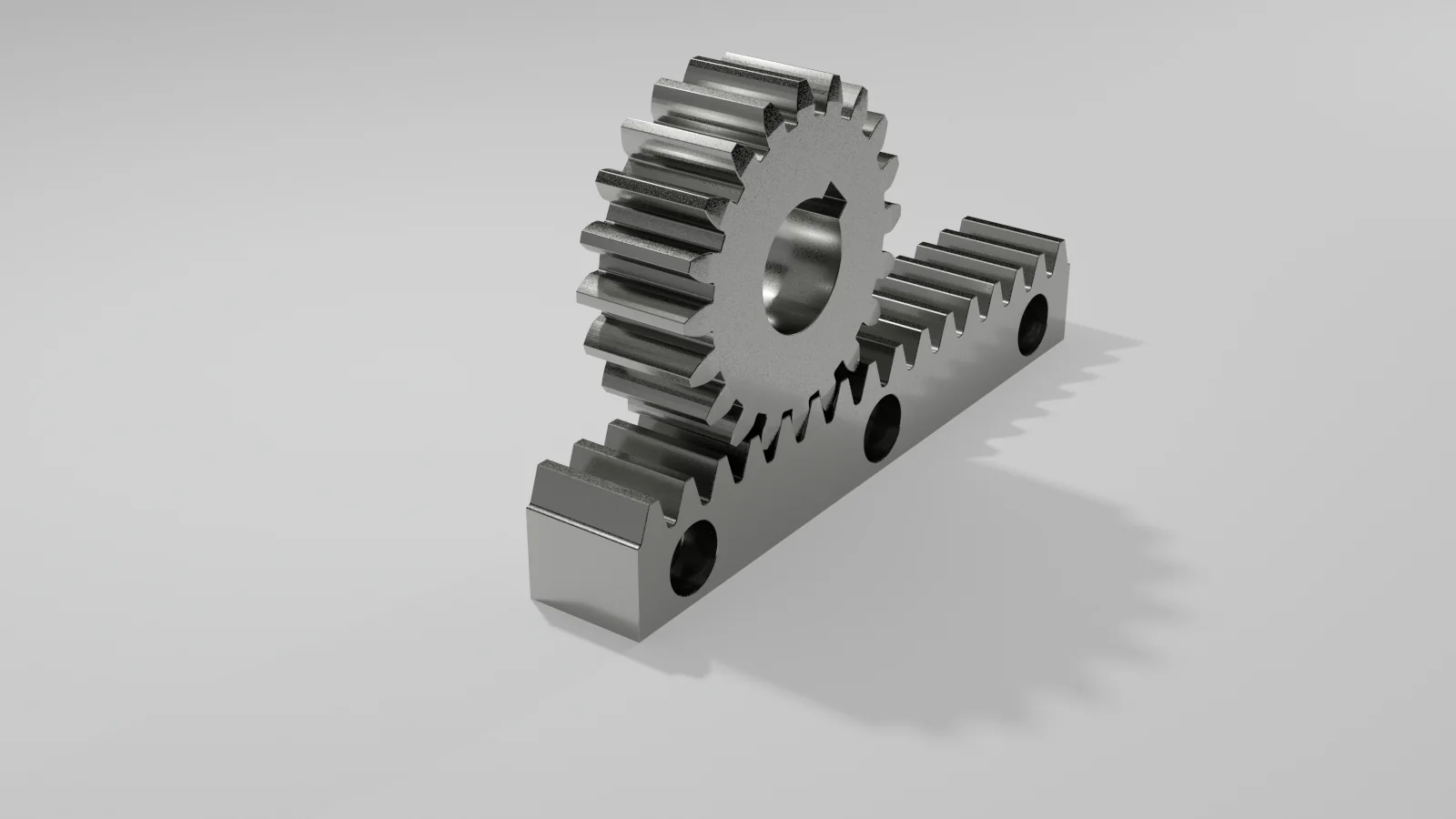
YG provides a set of tools for constructing and inspecting gear geometry.
The commands are interactive. Read the command line prompts and enter the requested values.
Overview
YG consists of four core functions:
- Spur gear generation
- Rack generation
- Involute construction
- Mesh simulation
Involute
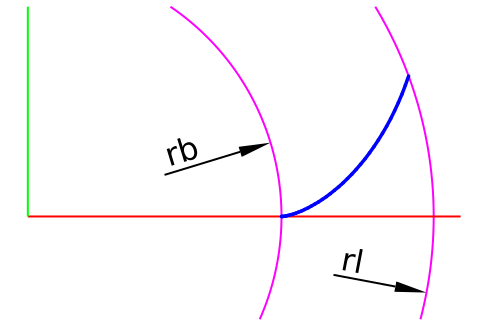
The YG-Involute command draws an involute curve based on a base circle.
This curve represents the developed shape of a taut line that is unwound from a circle.
In mechanical engineering this curve forms the fundamental shape of the tooth flank of most modern gears.
When two gears with involute tooth profiles mesh, the transmission ratio remains constant even if the center distance varies slightly.
This property made the involute the standard tooth form.
Parameters
- rb - base radius
- rl - limiting radius
- n - number of segments
The curve is approximated as a polyline.
A higher number of segments increases accuracy.
The resulting curve can be used to construct gear teeth by mirroring and copying around the gear center.
Rack
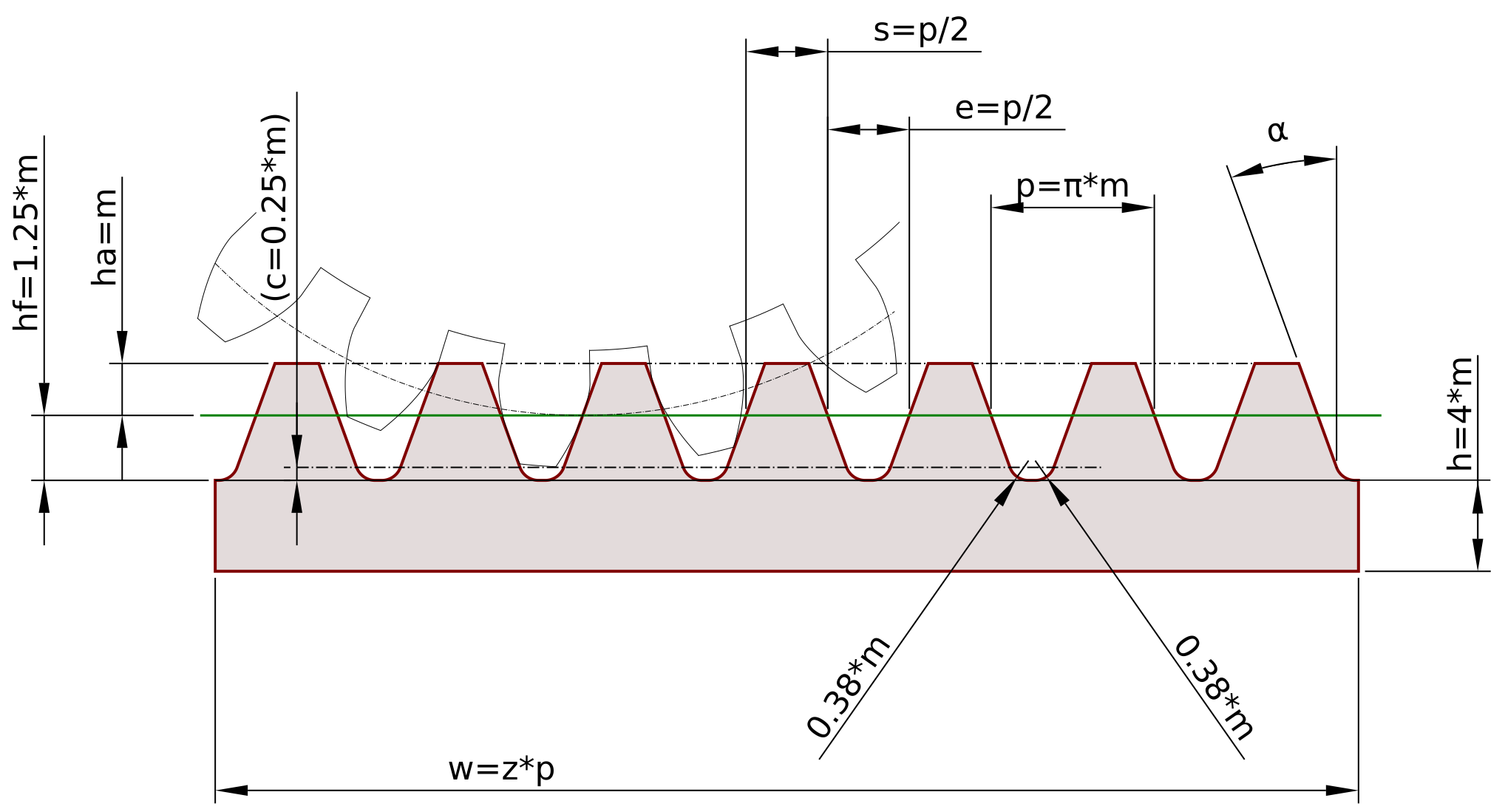
The YG-Rack command draws a standard rack without undercut.
Geometry is broadly consistent with ISO 53.
- Pressure angle α = 20° (π/9 radians)
- Module m defines key dimensions
- Number of teeth z determines width
The height is a practical fixed value.
Spur gear
The YG-Spur command generates a spur gear based on module and number of teeth.
The construction is based on involute geometry:
- tooth flanks follow an involute curve
- pitch circle is defined by module and tooth count
- root and tip geometry are constructed from standard relations
The result is a 2D profile that can be used directly or extruded to a 3D solid.
Typical workflow:
- define module m
- define number of teeth z
- generate base geometry
- refine or inspect using YG-Mesh
YG-Spur is intended as a practical construction tool rather than a full theoretical solver.
Mesh
The YG-Mesh command is an interactive and visual inspection tool.
It rotates two selected object sets around pivot points, coupled by the ratio:
φ2 = -φ1 * (z1 / z2)
Purpose
- inspection of tooth contact
- evaluation of fillets
- interference detection
- validation before manufacturing
YG-Mesh does not perform gear theory calculations.
Rotation is purely kinematic.
Procedure
- Select all objects of gear 1
- Specify pivot
- Enter z1
- Select gear 2
- Specify pivot
- Enter z2
Controls
- P / N - rotate
- F - fine step
- C - coarse step
- R - reset
- Enter - exit
Correct setup
For correct meshing:
-
Center distance:
a = m * (z1 + z2) / 2 -
Pitch circles must be tangent
-
Apply half tooth offset before starting:
Half tooth angle = 180° / z
This prevents initial collision.
Notes
YG is intended for construction and visual verification.
- Involute provides the fundamental geometry
- Spur and Rack build usable profiles
- Mesh validates behavior
Together they form a practical toolset for gear design and inspection.